
Your TV, recorded.
Watch and record over-the-air TV on your devices.
Live TV and manual recording are free
Tanso TV lets you watch and manually record live over-the-air TV on your computer. Pair it with an antenna and a compatible USB, PCIe, or HDHomeRun tuner, and keep the programs you choose.
Tanso TV Device - your local TV & DVR server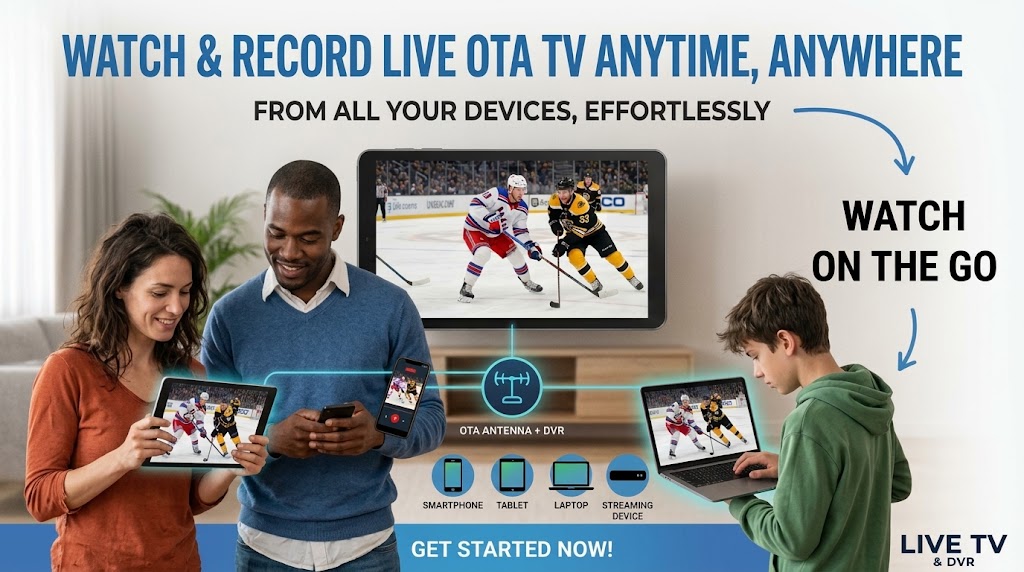
Everything a DVR should do. Nothing it shouldn't.
A cloud account gives you the best experience — or stay fully offline; your recordings stay on your devices either way.
Watch & record live OTA TV
Watch and record ATSC 1.0 over-the-air television through a compatible TV tuner.
Watch on any screen
Watch live and recorded TV from modern web browsers on computers, phones, and tablets. No separate viewing app to install.
Your files, your machine
Recordings and their metadata are stored on your own computer. Watch them anywhere, keep them forever.
Windows, macOS and Linux
Available for Windows, macOS, and Linux. Install the server on your computer and watch from any browser.
Works with USB and network tuners
Use supported HDHomeRun network tuners on Windows, macOS, and Linux, plus compatible USB and PCIe tuners through the supported Windows BDA and Linux DVB interfaces.
Before buying an antenna or tuner, check the channel lineup for your location or broadcast market in RabbitEars' market listings, then use its Signal Search Map to plan antenna placement.
Free live TV and recording
Watch live TV and record what you're watching for free, with one tuner per device. Hardware acceleration is available on supported operating systems and GPUs. Limited remote access is available today when direct connections work; a free-tier cloud relay allowance is planned for cases where direct access is unavailable. Closed captions work with compatible live and recorded content.
Electronic Program Guide
Browse program information transmitted by ATSC 1.0 broadcasters, including schedules and descriptions when available. Guide data comes directly from over-the-air broadcasts without an external guide service.
Channel scanning & device information
Scan for available channels through the Tanso TV cloud web app, and view tuner discovery results and supported video codecs for connected devices.
TV Tuner Support
- HDHomeRun: Supported network TV tuners on Windows, macOS, and Linux.
- Windows: Compatible BDA USB and PCIe tuners. Hauppauge WinTV-dualHD (1595) is verified on Windows 10/11. Older MyGica A681 and A681B are verified on Windows 10; MyGica lists Windows 11 support, but Windows 11 compatibility for A681, A681B, and A681 Pro is pending verification.
- Linux: Supported USB and PCIe tuners. Verified Hauppauge WinTV-dualHD (1595).
- Direct USB support: Selected USB tuners are supported across Windows, macOS, and Linux.
See the Tuner Compatibility Guide for verified models, operating system compatibility, and setup requirements.
Up and running in three steps
If you can plug in an antenna, you can run Tanso TV.
Connect your gear
Connect an OTA antenna to a compatible USB, PCIe, or HDHomeRun tuner supported by your platform.
Install & scan
Install Tanso TV, connect your tuner, and use the cloud web app to run a channel scan. Tanso TV can discover a tuner automatically when it is connected before the Device starts; if you connect it later, run Tuner Discovery first.
Watch & record
Browse available channels, start watching, and manually record what you want to keep in your own library of shows and movies.
Cut the cord, keep the shows
Over-the-air TV is free — the airwaves are yours already. Tanso TV just gives you a proper DVR for them, the way cable used to, with live TV viewing and manual recording at no charge.
📖 New here?
Step-by-step installation guides for each platform, plus usage walkthroughs and answers to common questions.
⬇️ Ready to try it?
Grab the build for your OS, verify the checksum if you're careful (good), and be recording within minutes.
Like it? Pass it on.
Tanso TV grows by word of mouth. If it earned a spot on your computer, tell someone who still pays for cable.